How to add a custom MCP connector to Claude
Connect Tiny Plates to the Claude app in five steps, with screenshots.
By Chris Artmann ·
Claude can search the web and read your files. But ask it for a dinner plan, and the recipes still come from memory. The amounts are guesses, and the shopping list is added up by a language model.
A connector fixes that. It's an MCP server that Claude can call while it works. Add the Tiny Plates connector, and Claude searches real recipes, scales them for you, and builds shopping lists from the actual amounts.
This guide walks through adding it in the Claude app, step by step. It takes about two minutes. The same steps work for any MCP server that signs in with OAuth. Only the name and the URL change.
What you need
- The Claude app, or Claude on the web.
- A Tiny Plates account. You can create one for free when Claude asks you to sign in.
- The server URL:
https://api.tinyplates.dev/mcp
1. Open Connectors in Settings
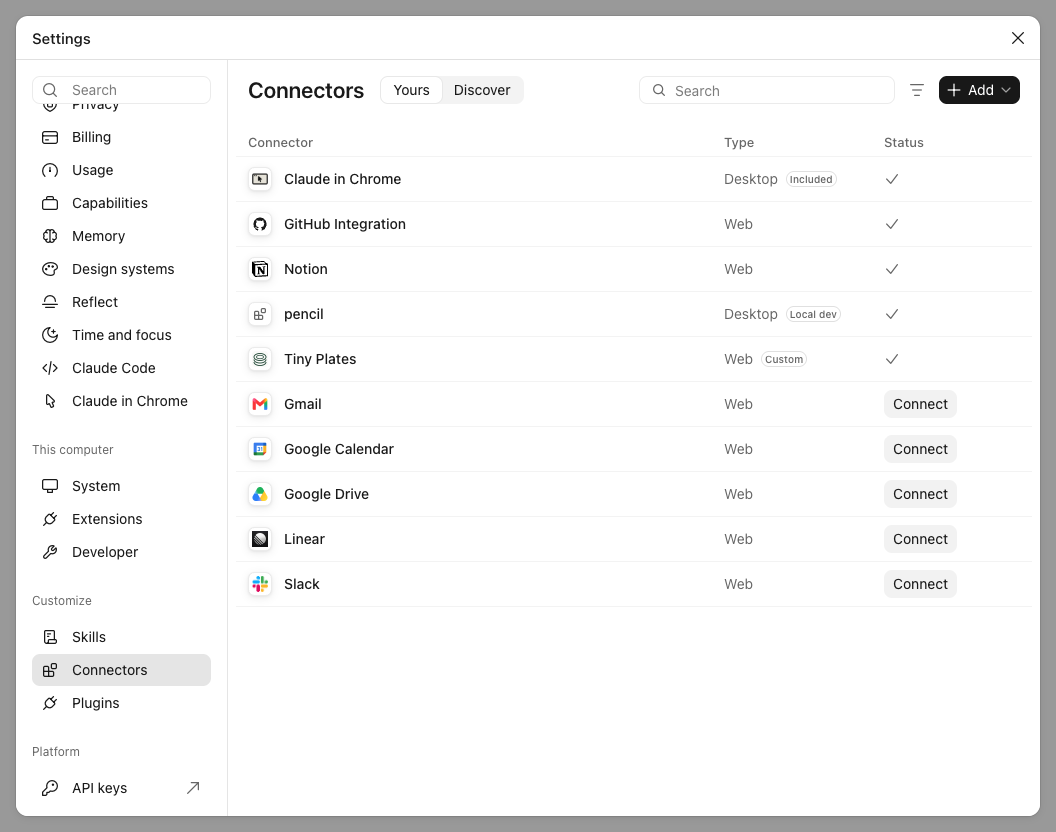
Open Settings and choose Connectors in the sidebar. You'll see the connectors you already have, like Gmail or Google Drive. Choose Add at the top right and add a custom connector.
2. Enter the name and the URL
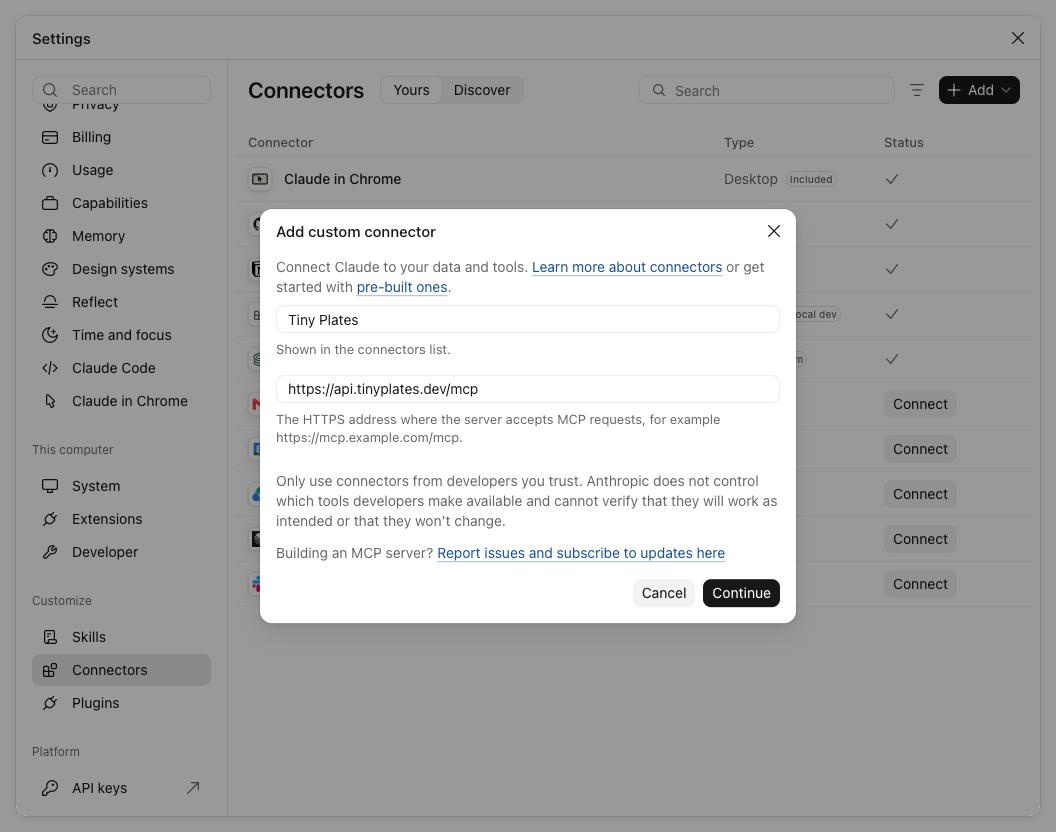
Name the connector Tiny Plates. The name is only what Claude shows in the list. Paste [https://api.tinyplates.dev/mcp](https://api.tinyplates.dev/mcp) as the URL and choose Continue.
3. Keep the sign-in settings
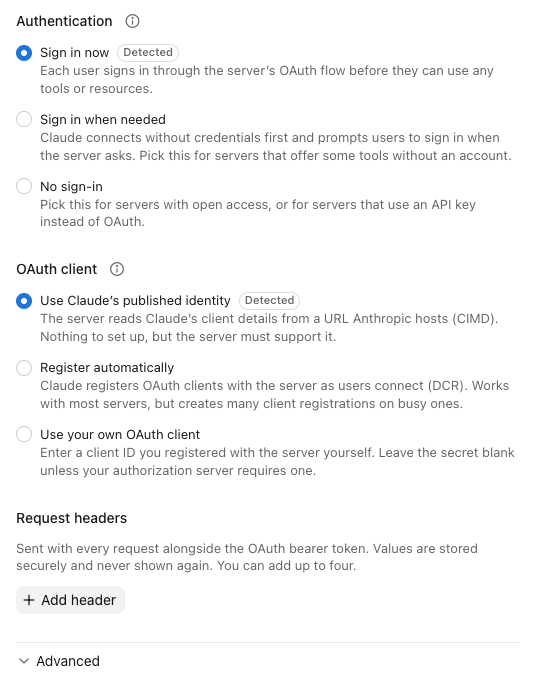
Claude now asks how the connector signs in. It checks the server first and picks the right options for you. For Tiny Plates that is Sign in now and Use Claude's published identity, both marked Detected.
Leave them as they are and choose Continue. You don't need to add headers or change anything under Advanced.
4. Sign in with Tiny Plates
Claude opens Tiny Plates in your browser. Sign in, or create an account, and allow Claude access. There's no API key to copy. Claude keeps the sign-in and renews it on its own.
5. Choose the tool permissions
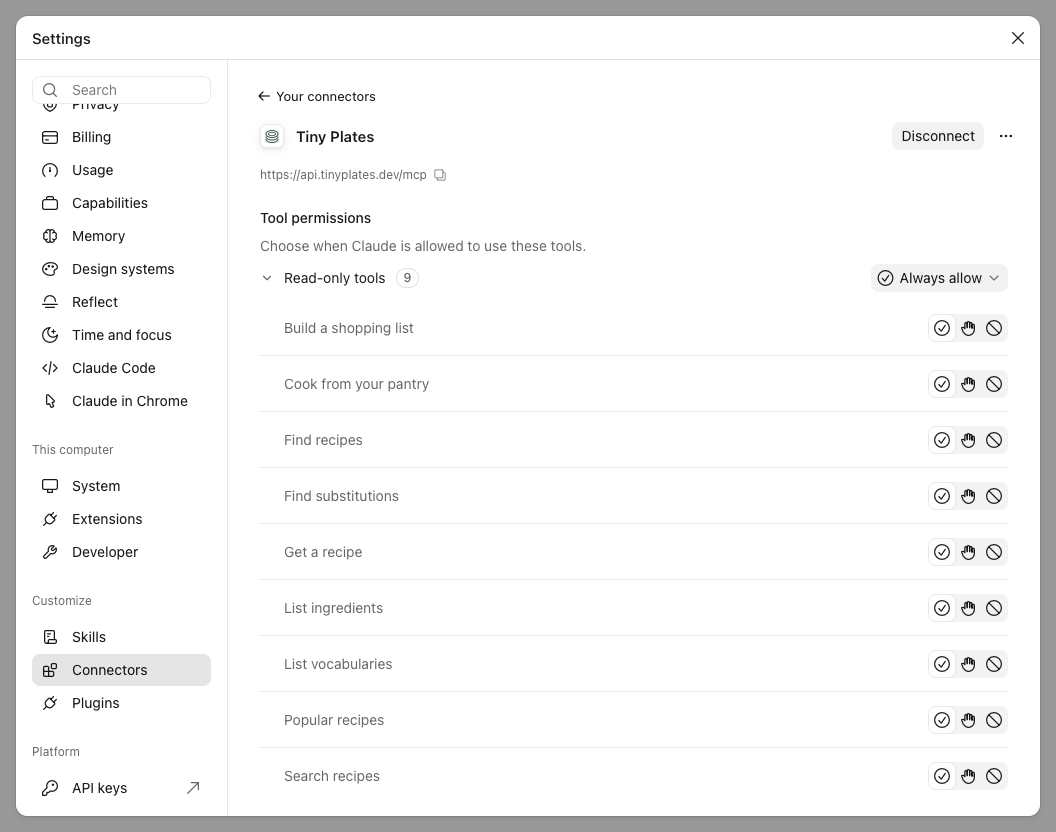
Back in Claude, Tiny Plates is connected and lists its tools: search recipes, find recipes, get a recipe, cook from your pantry, find substitutions, look up an ingredient, build a shopping list, and a few more.
For each tool you can choose whether Claude asks you before every call or may always use it. All of them only read data, so we recommend Always allow. Otherwise Claude stops to ask several times while it plans a single week of dinners.
Try it
Start a new chat and ask for something that needs real recipes:
Plan four dinners for this week. Two of us, no milk or peanuts, nothing over 40 minutes. Then give me one shopping list.
Claude searches with your allergens filtered out, checks the cooking times, scales each recipe to two people and asks the API for one combined shopping list. The amounts on the list are real, not estimated.
A few more to try:
- "I have chicken, rice and a lime. What can I make?"
- "Halve this recipe and switch it to metric."
- "I'm out of buttermilk. What can I use in these pancakes?"
If something goes wrong
- If Claude can't reach the server, check the URL. It ends in
/mcp, and it'sapi.tinyplates.dev, notwww. - If the browser didn't open, open the connector in Settings and choose Connect to sign in again.
- If you picked other sign-in options by mistake, remove the connector and add it again with the defaults.
Every tool call is one API request. It counts toward the same free allowance as the API and shows up on your usage page.
Other apps
Using ChatGPT instead? See How to add a custom MCP server to ChatGPT. Claude Code, Cursor, Codex, VS Code and more are in the MCP docs. And if you want to build your own recipe assistant, see Build a recipe chatbot with Claude and MCP in 30 minutes.